
Appearance
How to Configure Firebase
How to Create a Firebase Project
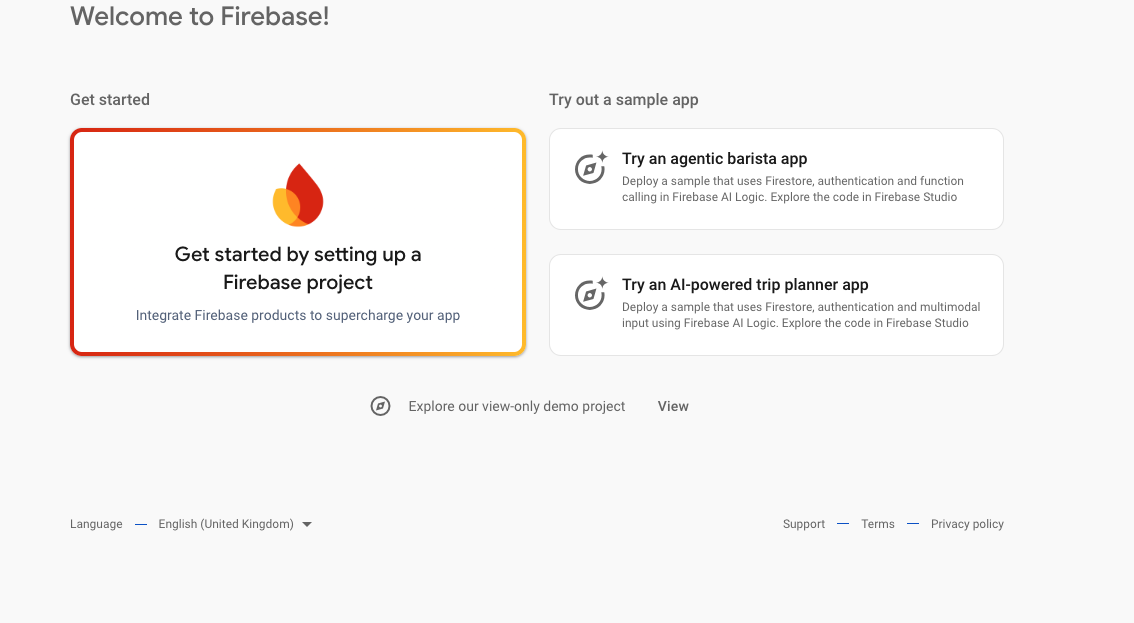
- Go to Firebase Console and click get started by Setting up a new project.
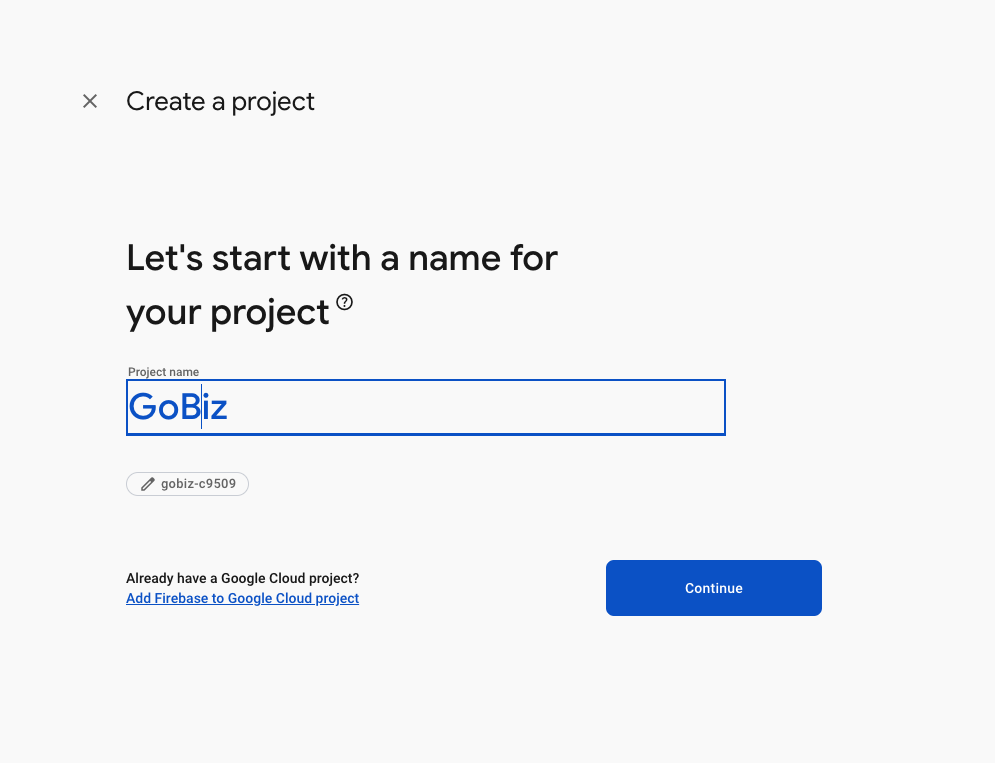
- Add your Project name and click Continue.
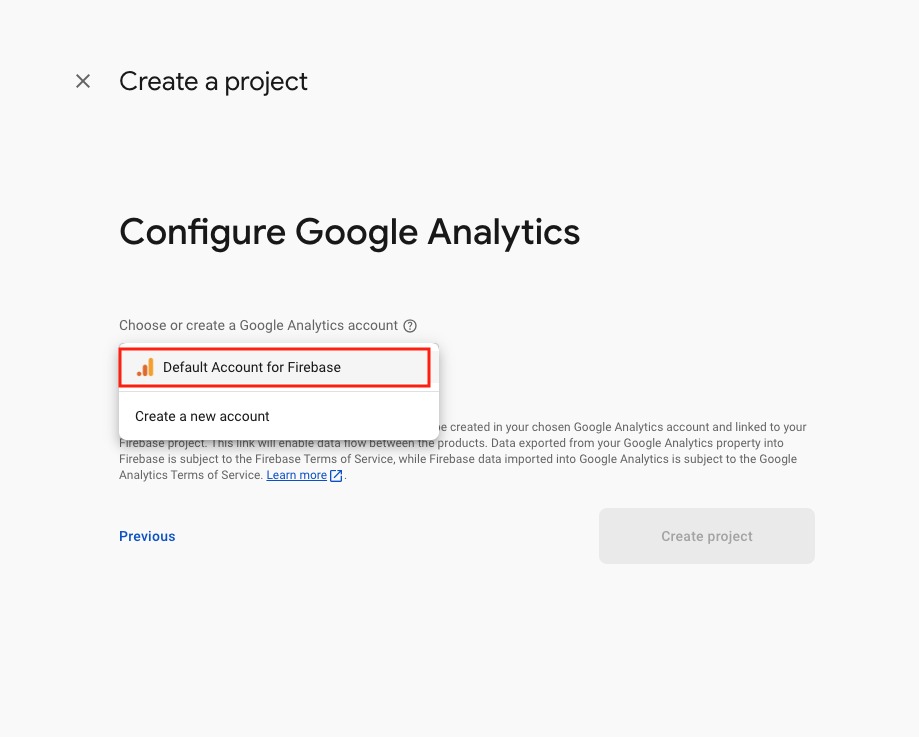
- In the Configure Google Analytics section choose
Default Accoutn for Firebaseand Create Project.
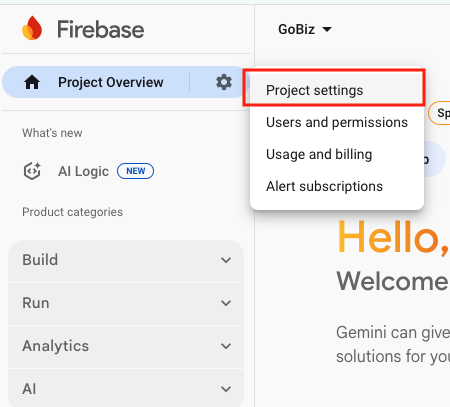
- In the Project Overview section, Select Project Settings.
- In Service accounts Generate new private key.
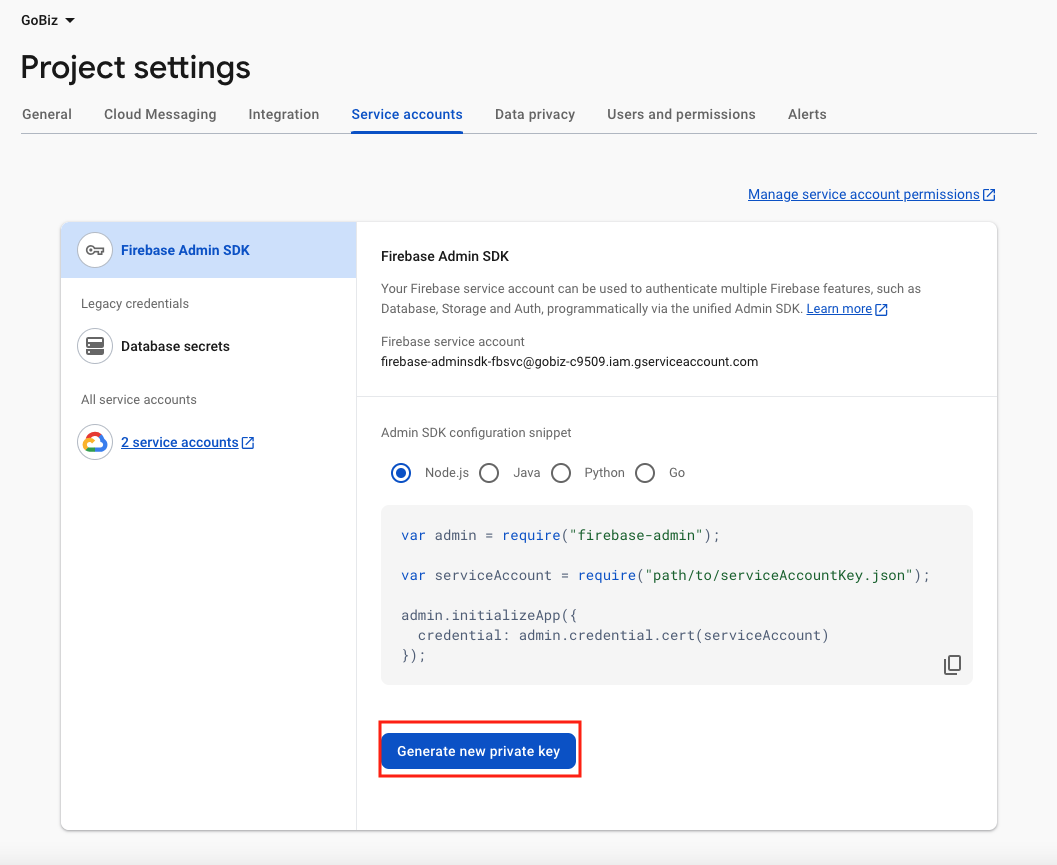
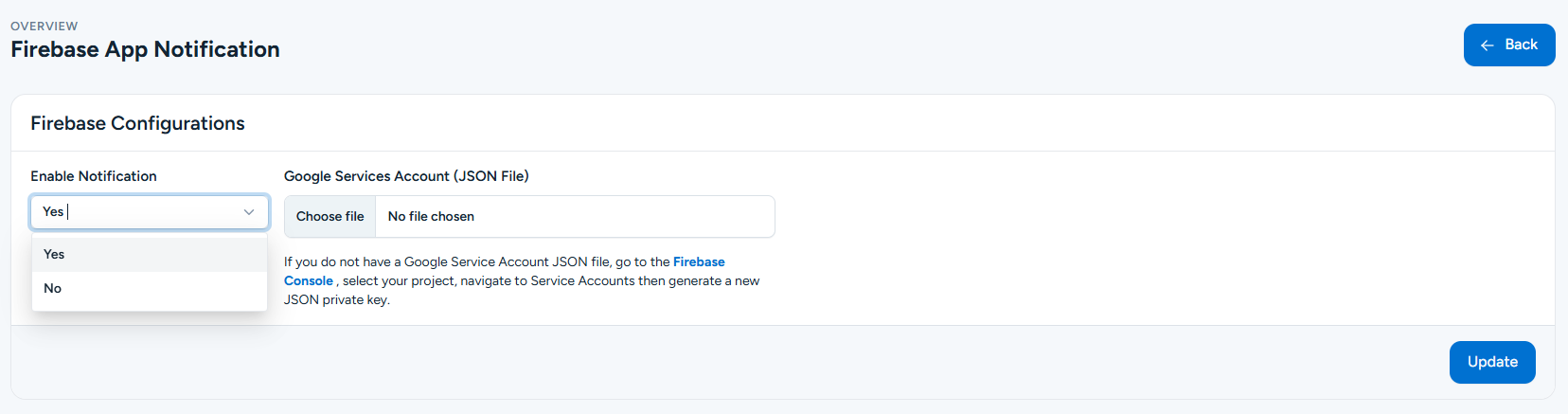
- Add the downloaded Private Key JSON file in Gobiz Firebase App Notification Plugin and Update.
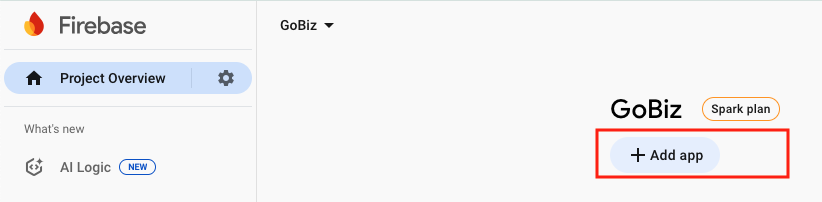
- Redirect to Firebase Home Page and Choose Your Project After choosing the project, create a App.
- Choose Android as the platform. Use the Bundle ID as your Android package name.
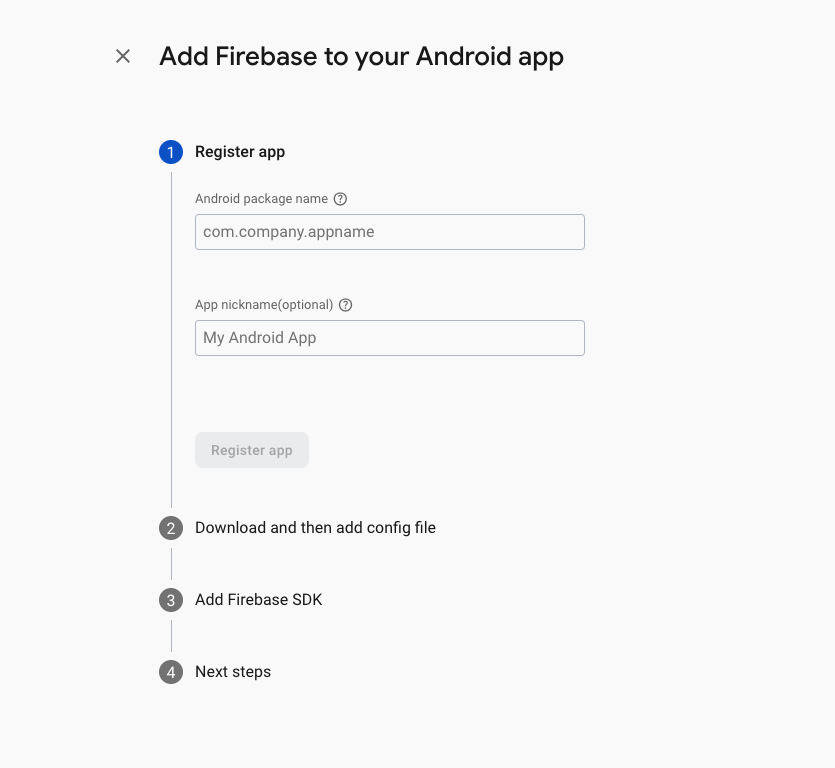
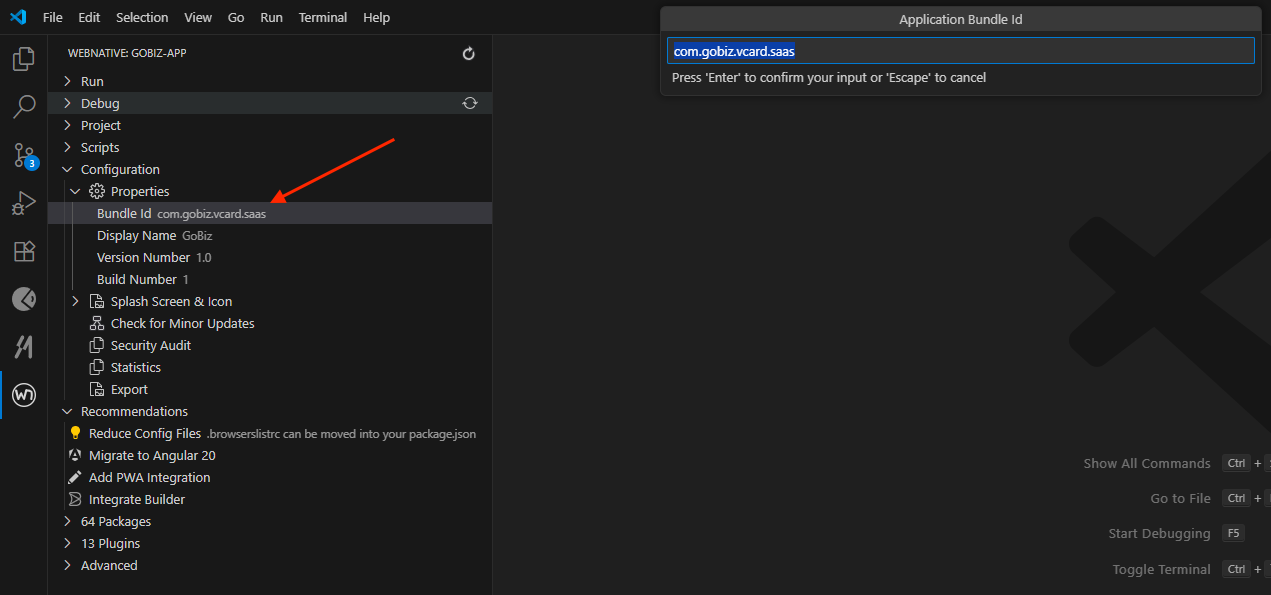
- After these steps you can able to download google-services.json file.
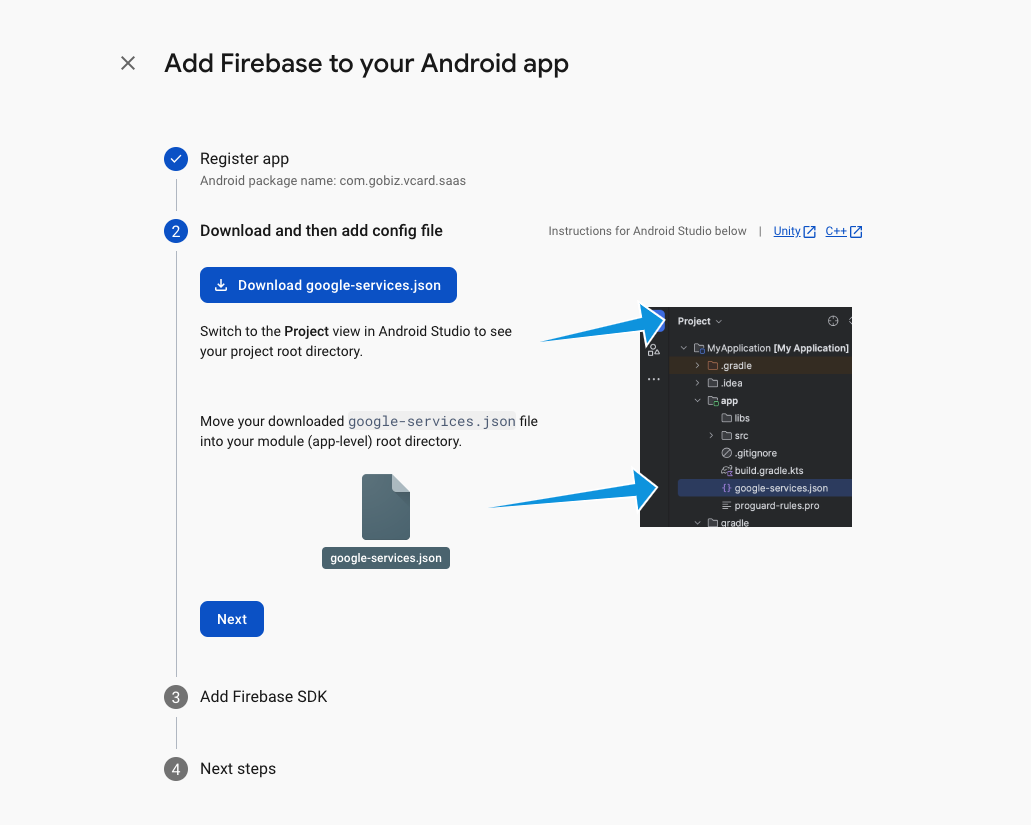
- Replace Google Json file
android/app/google-services.jsonin your Gobiz Mobile App Project.
After completing these steps, you can able to monitor your app Analytics in Firebase Console.
How to Enable Firebase App Notification
Go to Firebase Notification Plugin in the Notification section, choose Notifaction send to Selected Customers.
Add Notification Image, Title and Body.
Select Customers and Click Send to Send the Notification.
Now Your Notification Plugin is ready.