
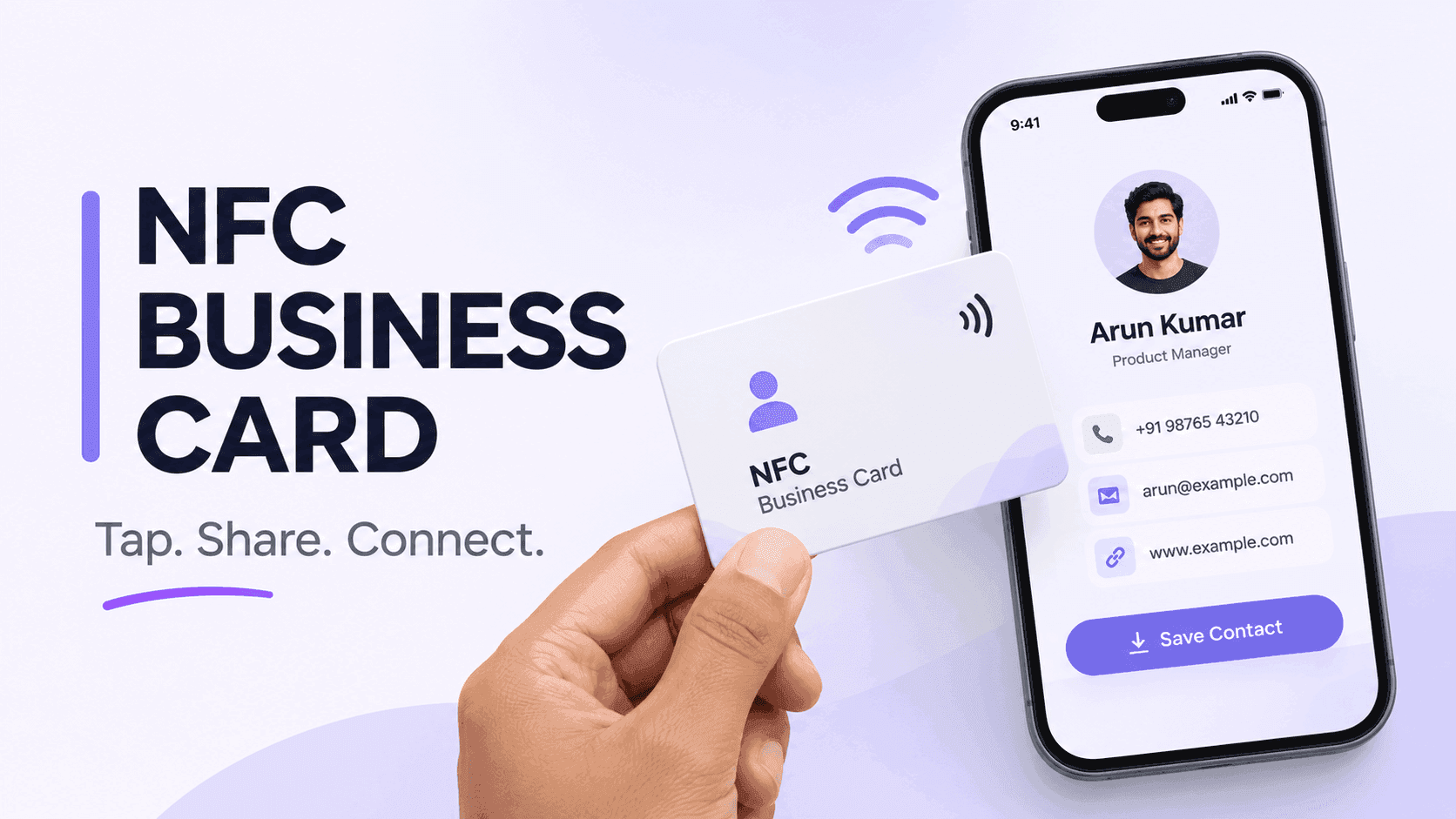
An NFC business card is a physical card with a tiny chip inside that shares your contact details when someone taps it with their phone. No app is needed. The tap opens your digital profile, where the other person can save your number, email and links in seconds.
You'll also see it called a tap business card, smart business card or contactless business card, and in India an NFC visiting card. This guide explains how NFC business cards work, how they compare with QR codes, what they cost in the US and India, and how to make one yourself.
What is an NFC business card?
An NFC business card looks like a normal plastic, metal or wooden card. The difference is inside: a small chip and a thin wire antenna, sealed between the layers. NFC stands for Near Field Communication, the same short-range wireless technology behind tap-to-pay cards and phone wallets.
Instead of typing your number from a paper card, the other person taps your card on their phone. Their phone opens a page with everything about you:
- Name, job title, company and photo
- Phone, WhatsApp and email buttons
- A Save contact button that downloads your details as a vCard file
- Website, social profiles, portfolio, booking or payment links
Most NFC business cards also have a QR code printed on the back, so phones without NFC can scan it instead.
How do NFC business cards work?
An NFC card has no battery. When a phone comes within about 4 cm (1.5 in), the phone's NFC reader creates a small radio field at 13.56 MHz. That field powers the chip for a moment, and the chip sends back what is stored on it: usually a single web link.
Here's what happens in one tap:
- You hold your card near the top or back of the other person's phone.
- The phone powers the chip and reads the link stored on it.
- A notification pops up, and tapping it opens your profile in the browser.
- They tap Save contact, call you, or message you on WhatsApp.
The whole thing takes two or three seconds. Because the card only stores a link, the chip can be small and cheap. The common chips are:
| Chip | Usable memory | Good for |
|---|---|---|
| NTAG213 | 144 bytes | A short URL to your digital card (most common) |
| NTAG215 | 504 bytes | Longer URLs or a small vCard |
| NTAG216 | 888 bytes | A full vCard written straight onto the chip |
For a business card, NTAG213 or NTAG215 is plenty. All you need on the chip is one link.
Do NFC business cards work on iPhone and Android?
Yes, on almost every modern phone:
- iPhone: iPhone XS, XR and newer read NFC tags automatically whenever the screen is on. iPhone 7, 8 and X can read them through the NFC Tag Reader button in Control Center.
- Android: most mid-range and flagship phones have NFC. It must be switched on (Settings → Connected devices → NFC), and some budget models leave the chip out entirely.
That last point is why a QR code on the back still matters. Anyone whose phone can't read the card can still scan it.
NFC digital business card: the card is only half of it
The physical card is just the trigger. What people actually see is the digital business card the chip links to. That's why the best setups pair the two: a digital business card with NFC.
You can put two kinds of data on the chip:
| What's on the chip | What happens on a tap | Can you update it? |
|---|---|---|
| A link to your digital card | Opens your live profile page | Yes, edit the page anytime, no reprogramming |
| A vCard (contact file) | Android offers to save the contact; iPhone support is limited | No, you must rewrite the chip |
A link is the better choice for almost everyone. It works the same on iPhone and Android, it fits on the smallest chip, and when you change your job or phone number you update the page instead of buying new cards. Many profile platforms also show you how many people tapped your card.
NFC business card vs QR code
Both share a link without typing. They just get there differently:
| NFC business card | QR code | |
|---|---|---|
| How it's shared | Tap the card on a phone | Point the camera and scan |
| Speed | 1–2 seconds | 3–5 seconds |
| Works on | Phones with NFC (most since 2018) | Every smartphone with a camera |
| Works from a distance | No, needs a few cm | Yes, from a screen, poster or slide |
| Cost | ~$1–$50+ per card | Free |
| Impression | Feels premium, a talking point | Familiar, practical |
You don't have to pick one. The most practical NFC business card has the chip inside and a QR code printed on the back, both opening the same profile. Make that code with our free QR code generator, which creates static codes that never expire.
How to make an NFC business card
You can buy a ready-made card from a brand, or make your own in about 15 minutes. Here's how to make and program an NFC business card yourself.
- Create the page your card will open. Use a digital business card platform, or at the very least a hosted vCard link. Copy the final URL.
- Buy blank NFC cards. Look for NTAG213 or NTAG215 cards in white PVC (printable) or pre-designed blanks. Packs of 10 cost a few dollars, or a few hundred rupees in India.
- Install a writer app. NFC Tools (free on iPhone and Android) is the most popular.
- Program the card. In NFC Tools, open Write → Add a record → URL/URI, paste your link, tap Write, then hold the card to the back or top of your phone until it confirms.
- Test it on two phones. Try at least one iPhone and one Android phone. If the tap fails, move the card slowly around the phone to find its NFC antenna.
- Lock the chip (optional). In Other → Lock tag you can make the chip read-only so nobody can overwrite it. This is permanent, so only lock it once your link is final. A link to an editable profile is safe to lock.
- Print the design. Add your name, logo, the NFC "tap" icon and a QR code on the back as a backup. Start from a free visiting card maker template.
How to choose the best NFC business card
Most "best NFC business card" lists compare brands. Use these points instead and you can judge any brand yourself.
PVC, metal or wood?
- PVC: the cheapest and most reliable option. Full-colour printing on both sides, with the best read range.
- Metal: the premium choice for executives and sales teams. Metal blocks radio signals, so a metal NFC business card needs a special build with a protected chip area, and the read range is often shorter. Laser engraving only, with fewer colours.
- Wood or bamboo: an eco-friendly look and good read range, but limited printing.
Size
Most NFC cards are credit-card size (CR80): 85.6 × 54 mm (3.37 × 2.125 in). That's slightly smaller than a standard US business card or Indian visiting card (3.5 × 2 in, 88.9 × 50.8 mm), so paper-card artwork needs resizing. If you design your own artwork, check the exact measurements in our business card size guide.
The profile and the price model
This matters more than the card. Ask:
- Is the profile free, or is there a monthly subscription?
- Can you edit everything (photo, links, WhatsApp, payments) yourself?
- Does it work without the brand's app?
- Do you get tap and view analytics?
- If you stop paying, does the card stop working?
NFC business card price (US and India)
Typical prices in 2026:
| Type | United States | India |
|---|---|---|
| Blank NFC card (bulk) | $0.50–$2 each | ₹40–₹150 each |
| Printed PVC NFC card | $10–$30 | ₹499–₹999 |
| Metal NFC card | $40–$100+ | ₹1,500–₹3,500 |
The one-time card price is often only part of the cost. Many brands also charge a monthly or yearly subscription for the profile, especially for team features and analytics. Read the plan before you order, especially if you are buying for a whole team.
NFC visiting card in India
In India, the NFC visiting card has grown fast for a simple reason: business here runs on WhatsApp and UPI. A good Indian setup puts these on the profile the card opens:
- A WhatsApp chat button with a pre-filled message. Make one with the free WhatsApp link generator.
- A UPI payment QR so customers can pay on the spot. Create it with the UPI QR code generator.
- Google Maps location, Google review link and a product catalogue
- Contact details in English plus a regional language
Not sure what else belongs on the profile? Our digital business card India guide has samples for doctors, shops, real estate agents and more.
Shopkeepers, real estate agents, doctors and insurance agents use NFC visiting cards most because they meet many new customers face to face. If you print your own, check that your printer supports NFC inlays, or buy pre-printed NFC cards and program them yourself.
Are NFC business cards worth it?
For most people who meet clients in person, yes. Here are the honest pros and cons:
Pros
- One card replaces hundreds of paper cards, and you never run out
- Details stay current, because you edit the profile and not the card
- Feels modern and memorable, which helps you stand out at events
- You can see how many people viewed your profile
Cons
- A few older or budget phones can't read NFC (the QR backup solves this)
- Some people still expect a paper card they can keep
- Ongoing subscription costs on some platforms
- Metal cards cost more and read less reliably
If you hand out more than a few cards a month, an NFC business card usually pays for itself in printing costs alone.
Selling NFC cards: a business opportunity
Everything above also makes NFC cards a strong product to sell. Each customer needs two things: a physical card and a digital profile to link it to. Selling both together brings in a one-time card sale plus a recurring subscription.
That's exactly how GoBiz SaaS is built. You run your own white-label digital business card platform, your customers build their profiles, and they order NFC cards from their dashboard. You manage the orders and activation keys from the admin panel. See the full feature list, or read our guide on how to start a digital business card business to plan pricing and your first customers. Looking beyond cards? Here are 40+ NFC and QR products you can sell, from Google review stands to pet tags. If reviews are where you want to start, here's how Google review cards work and what they cost.