
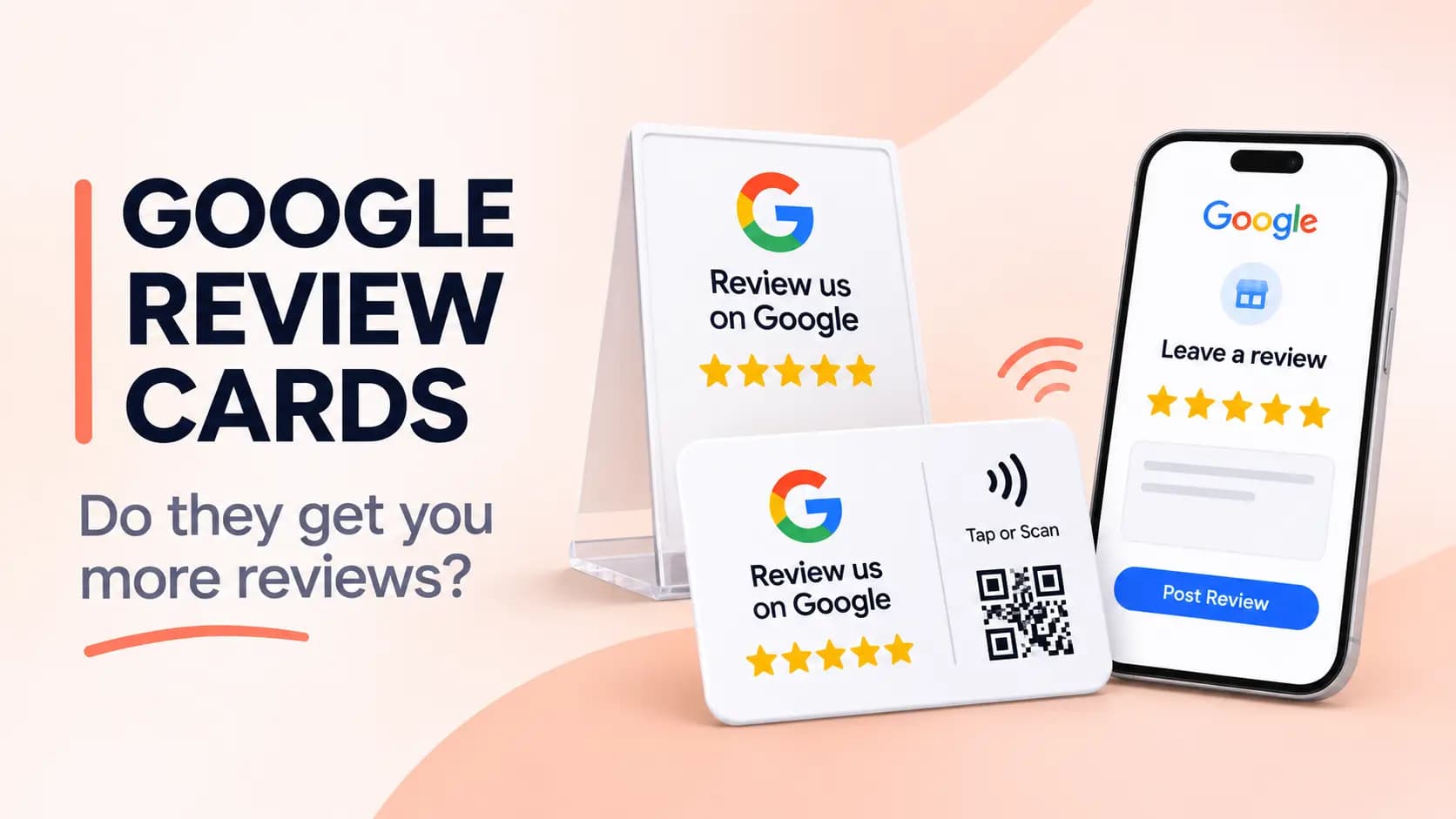
A Google review card is a small plastic card with an NFC chip and a QR code that opens your business's Google review form when a customer taps it with their phone or scans it. No app, no searching for your business on Maps. One tap and the five stars are on the screen.
Here's the kind of situation where people go looking for one. Picture two cafés on the same street (an example, not a real pair). One has a 4.8 rating from 23 reviews. The one across the road has 4.4 from 600. Most people walking past will pick the second one, because 600 reviews feel safer than 23, even with the lower score. The first café isn't worse. It just never asked.
So, do the cards work? Yes, but only in a narrow way. A Google review card makes leaving a review faster. It doesn't make people want to leave one. If your staff hand it over at the right moment and say a short line, you'll see more reviews. If it sits in a drawer, you won't. Most of this guide is about getting that part right.
How does a Google review tap card work?
A Google review tap card stores one web link, your Google review link, on a tiny NFC chip. When a customer holds their phone near the card, the phone reads the link and opens your review form.
The chip has no battery. The phone powers it for a split second through the same short-range radio (NFC) used for tap-to-pay. It works within about 4 cm, so the phone has to almost touch the card. The most common chip, the NTAG213, holds about 144 bytes, which is plenty for one review link.
A few practical things that sellers don't always mention:
- On iPhone XS, XR and newer, tapping works only when the screen is on and unlocked. People often tap a locked phone and think the card is broken.
- On Android, NFC has to be switched on. Most phones ship with it on, but not all of them, and some budget phones don't have NFC at all.
- Thick, metal or magnetic phone cases can block the tap.
- The best spot to tap is usually the top back of an iPhone and the middle back of most Android phones. Customers don't know this, so staff should.
That's why nearly every good Google review card also has a QR code printed on it. The QR code is the backup, and in practice it gets used a lot.
NFC or QR: which one do customers actually use?
Both, and you should put both on every card. NFC is faster when it works. QR codes work on almost every smartphone with a camera, and people already know how to scan them from menus and payment stands.
| NFC tap | QR scan | |
|---|---|---|
| What the customer does | Holds the phone near the card | Opens the camera and points it at the code |
| Works on | Phones with NFC switched on | Almost any smartphone with a camera |
| Speed | About 1 second | 3 to 5 seconds |
| Common problems | Locked screen, thick case, NFC off | Glare, dim light, code printed too small |
| Cost to make | Needs an NFC chip (about $1 / ₹50 in bulk) | Free to generate and print |
| Can you change the link later? | Yes, by rewriting the chip (unless locked) | Only if it points to a link you control |
My guess, and it's only a guess: where people already pay by tapping their phones, NFC will get used more. In India, where people scan UPI QR codes all day, expect the QR side to do a lot of the work. A card with both doesn't make you choose.
If you only want a QR code, you don't need a card at all. You can make a QR code from your review link and put it on receipts, bills or a table tent.
Cards, stands, stickers or plaques?
The format should match where the customer is when they're happiest. A card works when staff go to the customer. A stand or sticker works when the customer comes to a counter.
Google review card
The pocket-sized version. Good for anyone who meets customers away from a counter: home cleaners, electricians, delivery staff, real estate agents, car detailers. The person hands it over at the end of the job, the customer taps, done. You'll also see it sold as an NFC review card.
Google review stand (standee)
A small acrylic or plastic stand, usually with the NFC chip in the base and a QR code on the front. In India it's often called a Google review standee. It belongs next to the card machine or billing counter, because that's where people are already holding their phones. Putting it by the entrance is a common mistake. People walking in haven't had the experience yet.
Google review QR code stand
The same idea without the chip. It's cheaper and works fine in places where people are used to scanning, like restaurants and salons in India.
Google review sticker
An NFC sticker printed with the Google review design. Stick it on a table, a reception desk, the inside of a taxi or a checkout screen. Stickers are cheap, so they're good for testing which spot gets the most taps before you spend more.
Google review sign or plaque
A larger wall or door sign, sometimes with a chip. Signs are mostly a reminder that you have reviews. On their own they bring in fewer reviews than a stand someone points to, but they're fine for a waiting room where people sit with their phones.
How to make your own Google review card
You can make a Google review card yourself in about 15 minutes. You need your review link, a QR code, and (for the tap version) a blank NFC card or sticker.
- Get your Google review link. Sign in to your Google Business Profile, open Read reviews, then Get more reviews, and copy the link. Google explains the exact steps in its help page on creating a review link or QR code. Google's own review QR code can only be created from a computer browser, not from a phone.
- Turn the link into a QR code. Use Google's QR code or paste the link into a free QR code generator. Download it as PNG or SVG for printing.
- Design the card. Keep it simple: your logo, five stars, a short line like "Enjoyed your visit? Tap or scan to leave a review", and the QR code at least 2 cm (0.8 in) wide.
- Write the link to the NFC chip. Install a free app such as NFC Tools, choose Write → Add a record → URL, paste your review link and hold the blank card to your phone. If you've never done this before, our NFC business card guide covers the same steps in more detail.
- Lock the chip (optional). Locking stops anyone else from rewriting it. Only do this once you're sure the link is right, because a locked chip can't be changed.
- Test on two phones. One iPhone and one Android, with the cases on. Check that both the tap and the scan open the review form, not just your Maps listing.
If a printer is making the cards for you, send them the link and ask them to test a sample before printing a full batch.
What it costs
A ready-made Google review card costs about $10 to $35 in the US. Making your own costs a few cents to a dollar per card, plus your time.
| Option | US | India |
|---|---|---|
| Ready-made NFC + QR review card | About $10–35 per card (Nov 2026 listings) | About ₹399–699 per card |
| NFC review stand | About $25–50 | About ₹799–1,499 |
| QR-only stand or table tent | A few dollars to print | About ₹150–400 to print |
| DIY with blank NFC cards | About $1 per card in bulk | About ₹50 per card in bulk |
| QR code only | Free | Free |
The US prices come from shops ranking on Google's first page in November 2026; for example, one seller lists 10-packs at $9.99 per card and single cards at $22.90. Be careful with cheap listings that show nice photos but ship plain white cards. Read the reviews on the review card, which is a funny sentence but a real tip.
Some companies sell review cards on a monthly plan, with a dashboard that tracks taps. You don't need that to start. A card with your link written on it works forever without a subscription.
Is it allowed by Google?
Yes. Google review cards are allowed, and Google itself encourages businesses to share their review link and QR code. What's not allowed is how some businesses use them.
Google's Maps content policy bans these, and breaking them can get reviews removed or your profile restricted:
- Offering a discount, freebie or payment in exchange for a review.
- Asking only the customers you think are happy (so-called review gating).
- Telling customers what rating to give, or discouraging bad reviews.
- Setting review targets for staff, like "get 10 reviews each this week".
Watch out for cards that show a "How was your visit?" screen first and send only happy customers to Google, while unhappy ones go to a private form. That's selective asking, and it's exactly what the policy describes.
When to hand it over (and what to say)
The best time to ask for a Google review is right after the customer says something good. "That was great", "thanks so much", "my hair looks amazing". That's your cue. Not when they walk in, and not three days later by email.
Short lines work better than a speech. A few your staff can use:
- "Really glad you liked it. If you've got ten seconds, could you tap this and leave us a review? It helps a lot."
- "We're a small shop, so reviews make a big difference for us. Just tap here or scan the code."
- "Would you mind leaving us a quick Google review? Just tap your phone on this."
Then stop talking. Let them tap. If the tap doesn't work, point to the QR code.
For customers you don't see in person, send the same link after the job. A WhatsApp link with a pre-written message works well in India, and Google's own tips for getting more reviews suggest adding the link to receipts and thank-you emails.
One more thing helps more than any card: reply to the reviews you get, the bad ones too. People read replies, and a profile where the owner clearly reads reviews makes the ask feel less like a box-ticking exercise.
Who shouldn't bother
If you sell only online and never meet customers, a physical card won't help. Use the link in your emails and order confirmations instead. The same goes if you get very few customers per week. A card can't create volume you don't have.
How many people search for these
Interest in review cards is real. "Google review card" gets about 9,900 searches a month in the US and 1,600 in India, according to the OpenSEO data we pulled on 18 November 2026.
Monthly searches: Google review cards and stands
Google review card
Google review tap card
Google review NFC card
Google review stand
NFC review card
Google review standee
Google review QR code stand
| Search term | US / month | India / month |
|---|---|---|
| Google review card | 9,900 | 1,600 |
| Google review tap card | 1,000 | 140 |
| Google review NFC card | 880 | 480 |
| Google review stand | 880 | 720 |
| NFC review card | 720 | 320 |
| Google review standee | – | 590 |
| Google review QR code stand | 170 | 390 |
People in the US mostly search for the card. In India, stands and standees come up almost as often as cards, which matches how Indian shops use them: on the billing counter, next to the UPI QR code.
Thinking of selling them?
Plenty of people who search for Google review cards want to sell them, not buy one. It's an easy product to explain: every local business wants more reviews, and you can show how it works in ten seconds by tapping your own phone.
The catch is that a review card on its own is a one-time sale with thin margins. The resellers doing well with it bundle the card with something monthly, like a digital business card, a mini website or a WhatsApp store. We've listed 40+ of those products, with search data, in what to sell with GoBiz SaaS, and you can run your own numbers with the vCard SaaS profit calculator.