Appearance
Where to Get Your Mailgun API Key?
Last update: 31 July 2026
1. Sign in to Mailgun
Visit https://app.mailgun.com and sign in to your Mailgun account.
2. Open the Profile Menu
Click your Profile Menu (avatar or initials) in the top-right corner.
3. Open API Security
From the dropdown menu, select API Security.
Alternatively, if you're already signed in, you can open:
https://app.mailgun.com/settings/api_security
4. Go to the API Keys Section
On the API Security page, you'll find several types of keys, including:
- Verifications Public Key
- HTTP Webhook Signing Key
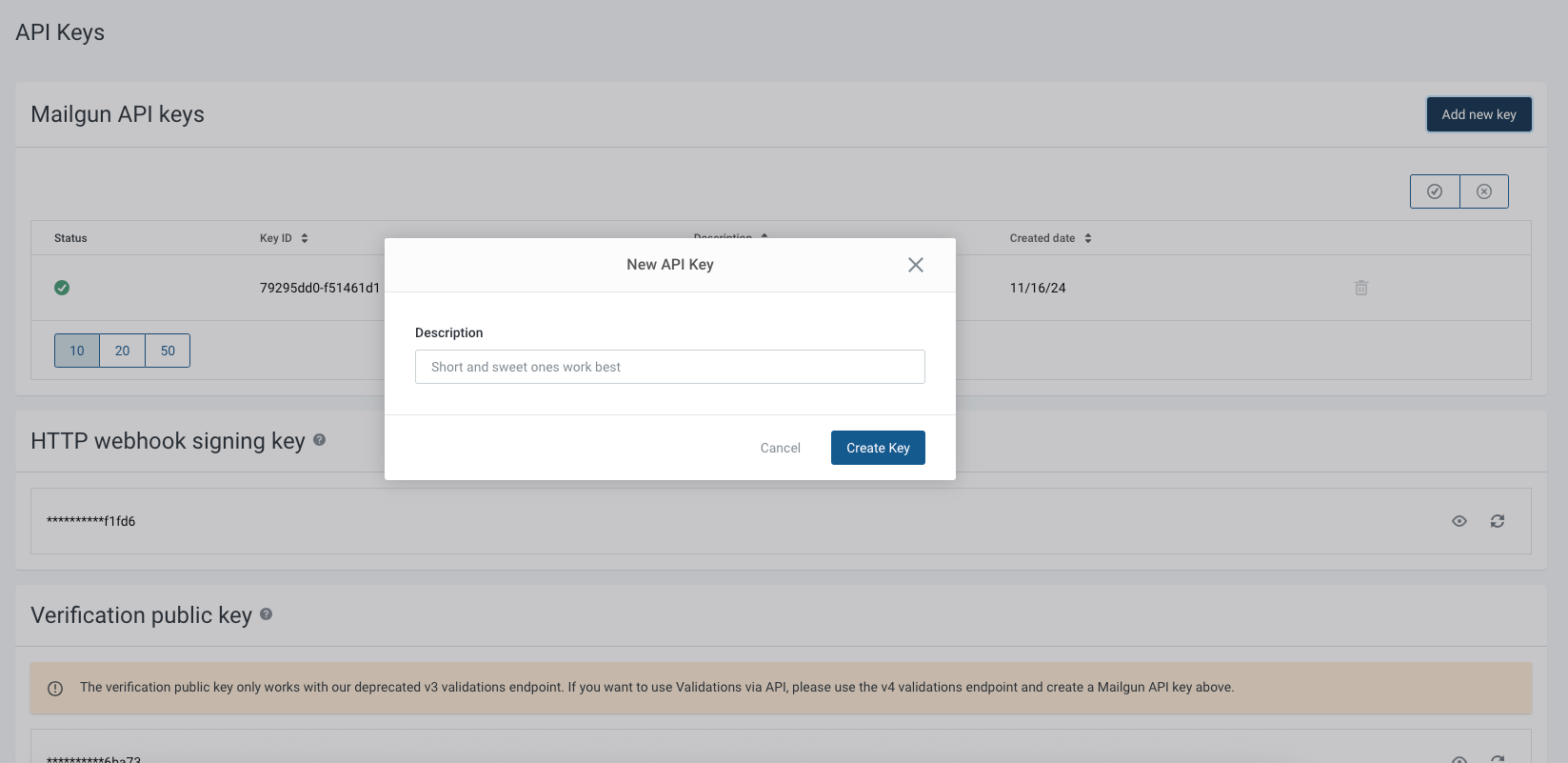
- Mailgun API Keys
The Mailgun API Key is the one required for GoBiz.
5. Create a New API Key
Click Add New Key, enter a name for the key, and then click Create Key.
6. Copy the API Key
After the key is generated, copy it and store it in a secure location.
Note
Mailgun displays the API key only once. Make sure to save it before leaving the page.
7. Configure Mailgun in GoBiz
Log in to your GoBiz Admin Panel.
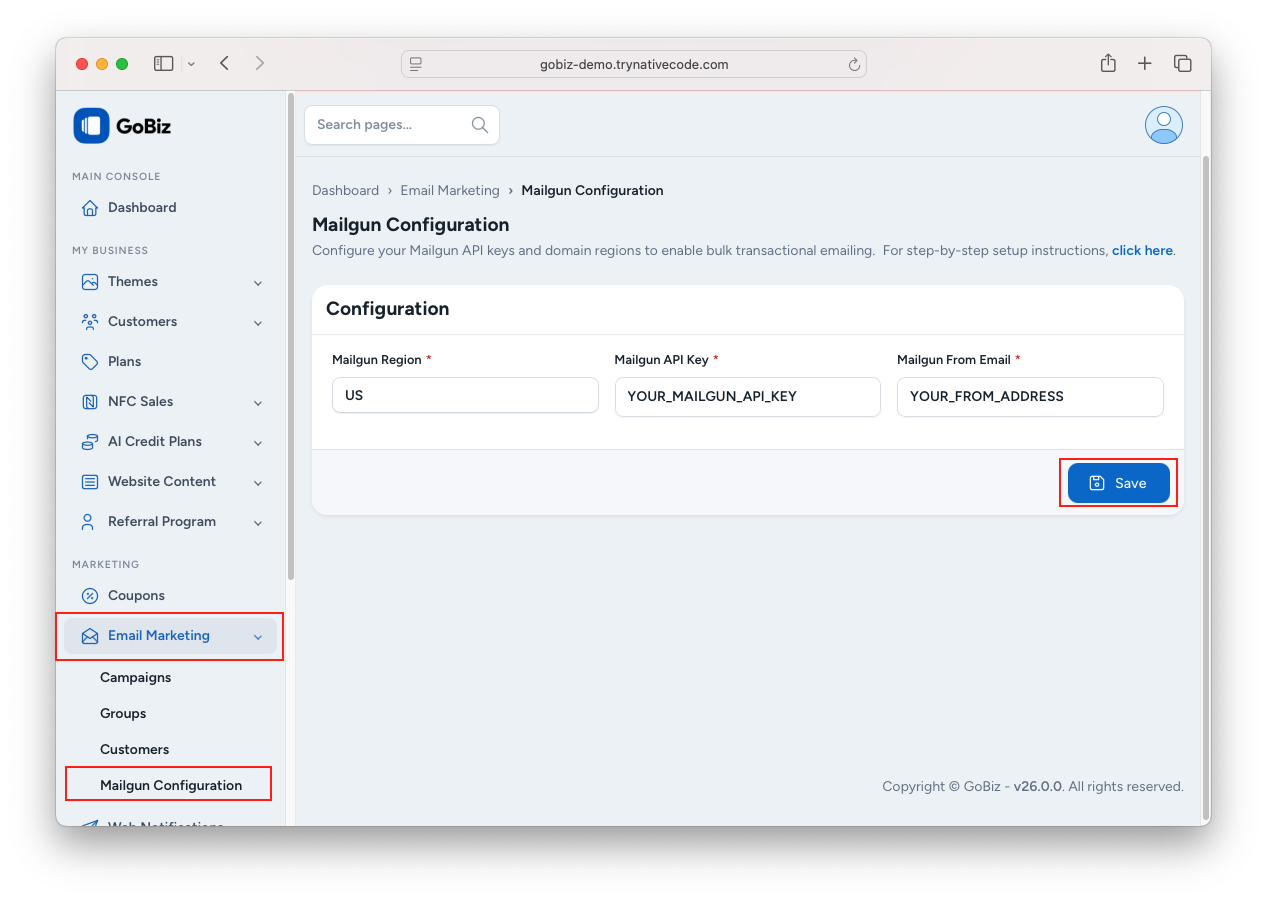
Navigate to Email Marketing -> Mailgun Configuration
Select your Mailgun account region (US or EU).
Enter the following details:
- Mailgun API Key
- Mailgun From Email
Click Save to apply the configuration.